Faronto

Software for coaching practices

Find your next clients using your existing network.

Start free

Free forever for 2 clients. No credit card required.

Clients come from conversations, and conversations come from the people you already know and the people they refer to you. Spend 15 to 30 minutes a day. Faronto shows you who to get back to and why, tells you when it’s a good moment to ask for a referral, and drafts the message in your voice. You send it.

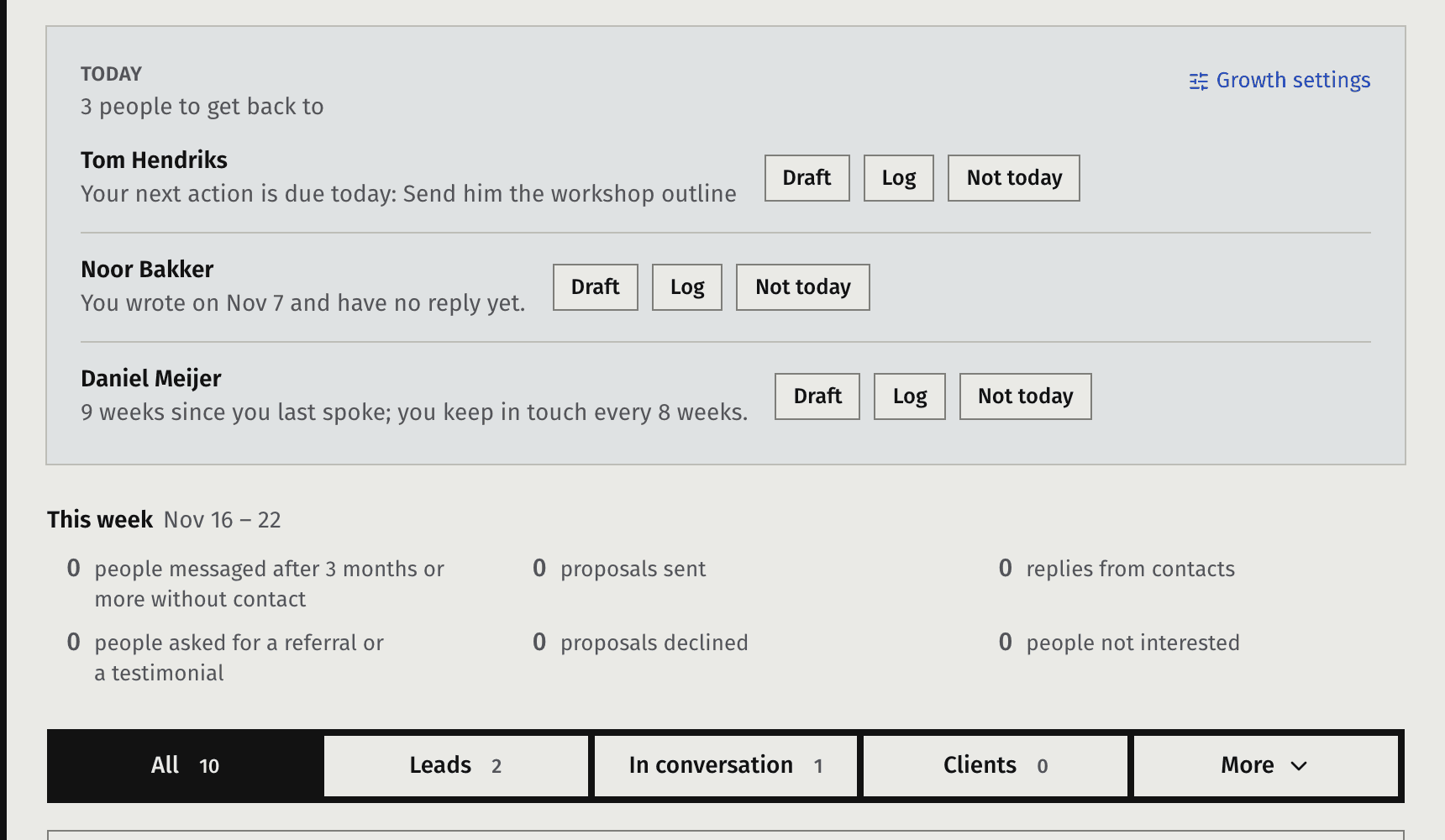
Growth, Contacts: the Today band with the people to get back to

Images from the real product, showing demo data.

You mean to get back to people.

Most coaches I talk to don’t want to sell. Only a few of them have a CRM and keep it up to date. You don’t need a CRM. You likely already know your next clients, or someone who would refer someone to you. They’re already in your phone and on LinkedIn: past colleagues, past clients, people from your workshops. What most coaches get wrong is the follow-up. You mean to get back to someone, get busy with other work, and 3 months later you still haven’t sent them a message.

How it works

1. Combine the people you know in one list

Import from LinkedIn, your phone contacts or a spreadsheet. Faronto reads the file in your browser and keeps only the people you import. Duplicates are skipped, and you can undo an import for 7 days. Nobody gets marketing email from you unless you recorded their consent.
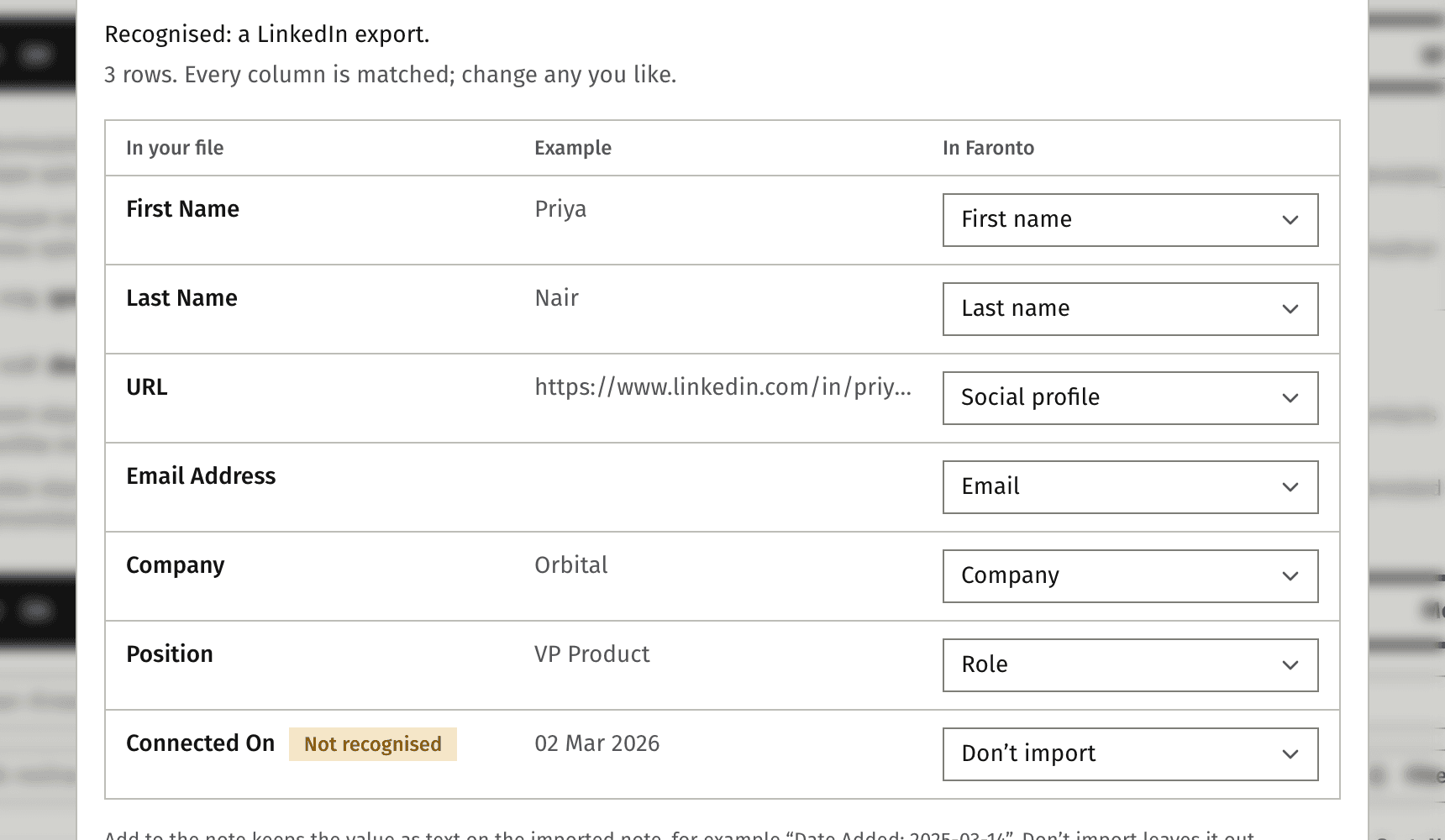
The import dialog with the columns of a file matched to contact fields

2. See who to get back to today

Each day, “Today” shows a short list of people to message, with the reason why: a next action due, a reply you’re waiting for, or the time passed since you last spoke. Close contacts come up every 4 weeks, warm ones every 8 and distant every 13. Of course, this is all configurable.

The Today band with three people and the reason for each

3. Let Faronto draft a message, send it yourself

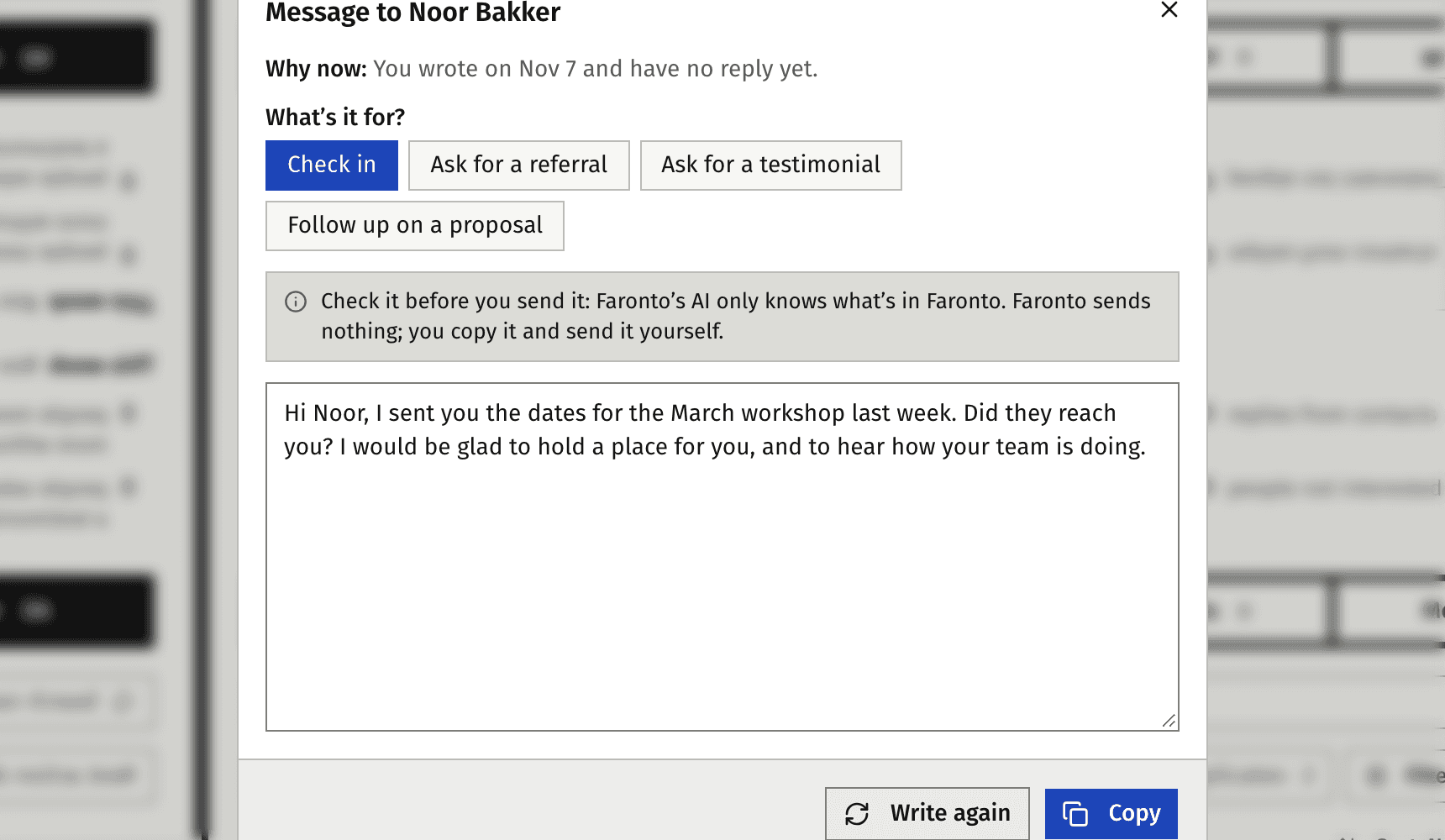
Draft can write a short message for you to send in your voice, using AI: a check-in, an ask for referrals, an ask for a testimonial or a follow-up on a proposal. It uses what you’ve already logged about the person, and how you describe your own writing. You copy it, change what you like, and send it from your own phone or email. Or, just write the message yourself, and log it in Faronto for future reference.

A drafted check-in on a contact’s page

4. Let people book an intro call from your page

Your booking page lets anyone book a free call with you, such as a 30-minute introduction. You choose how long it is, where you meet (Google Meet, Microsoft Teams, by phone or in person) and you can add up to 5 questions you want answered before the call.

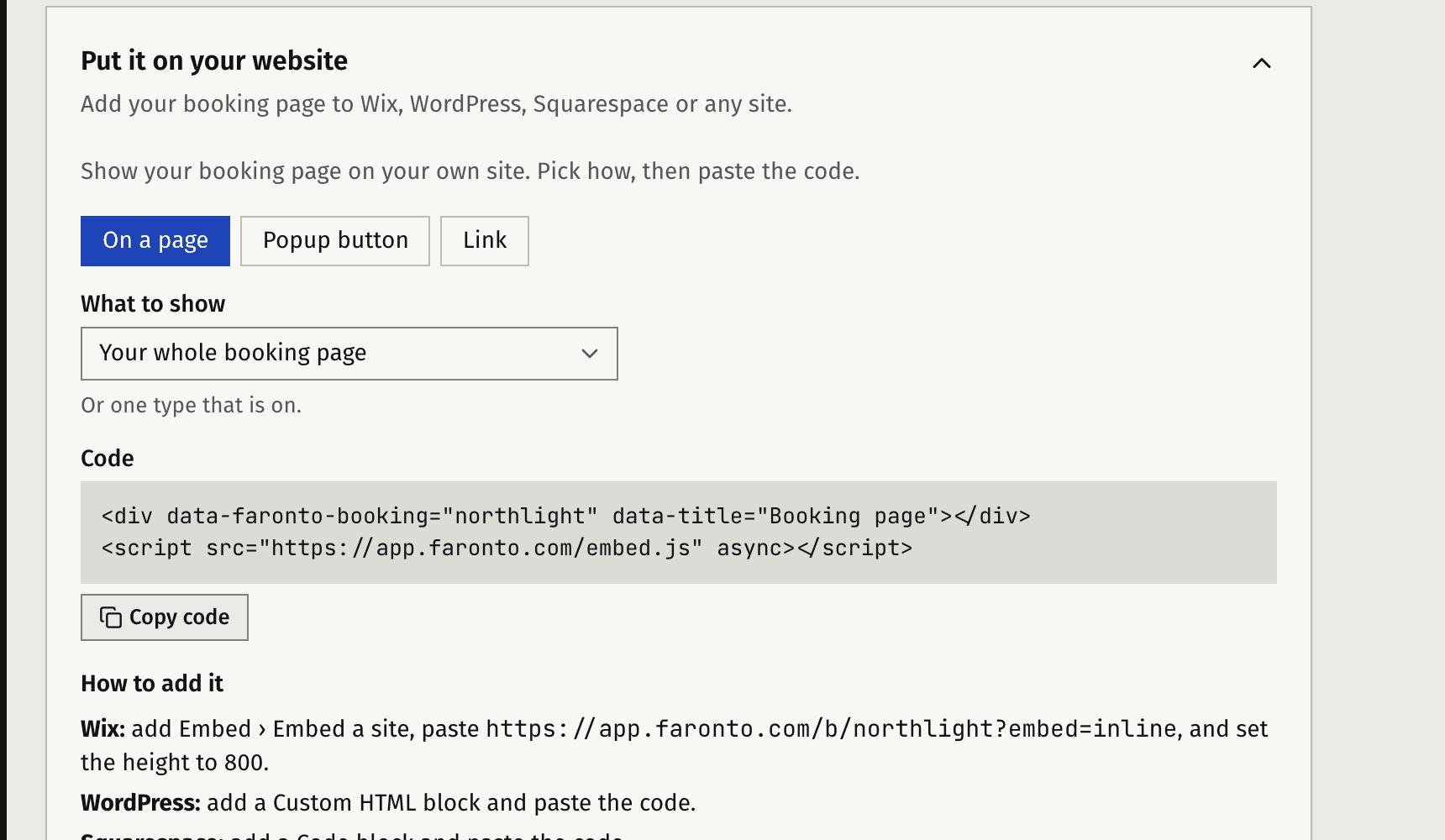
  • On your own website. Put the booking page inside a page on your own website, behind a “Book a call” button, or share the link in your bio and email signature. Faronto gives you the code and steps required for WordPress, Squarespace and Wix.
  • Easy for the person booking. They see times in their own time zone and the page in their own language, and only when you’re free. They get a calendar invite with the Meet or Teams link, a reminder a day before and an hour before, and they can easily reschedule or cancel the meeting, without needing an account.
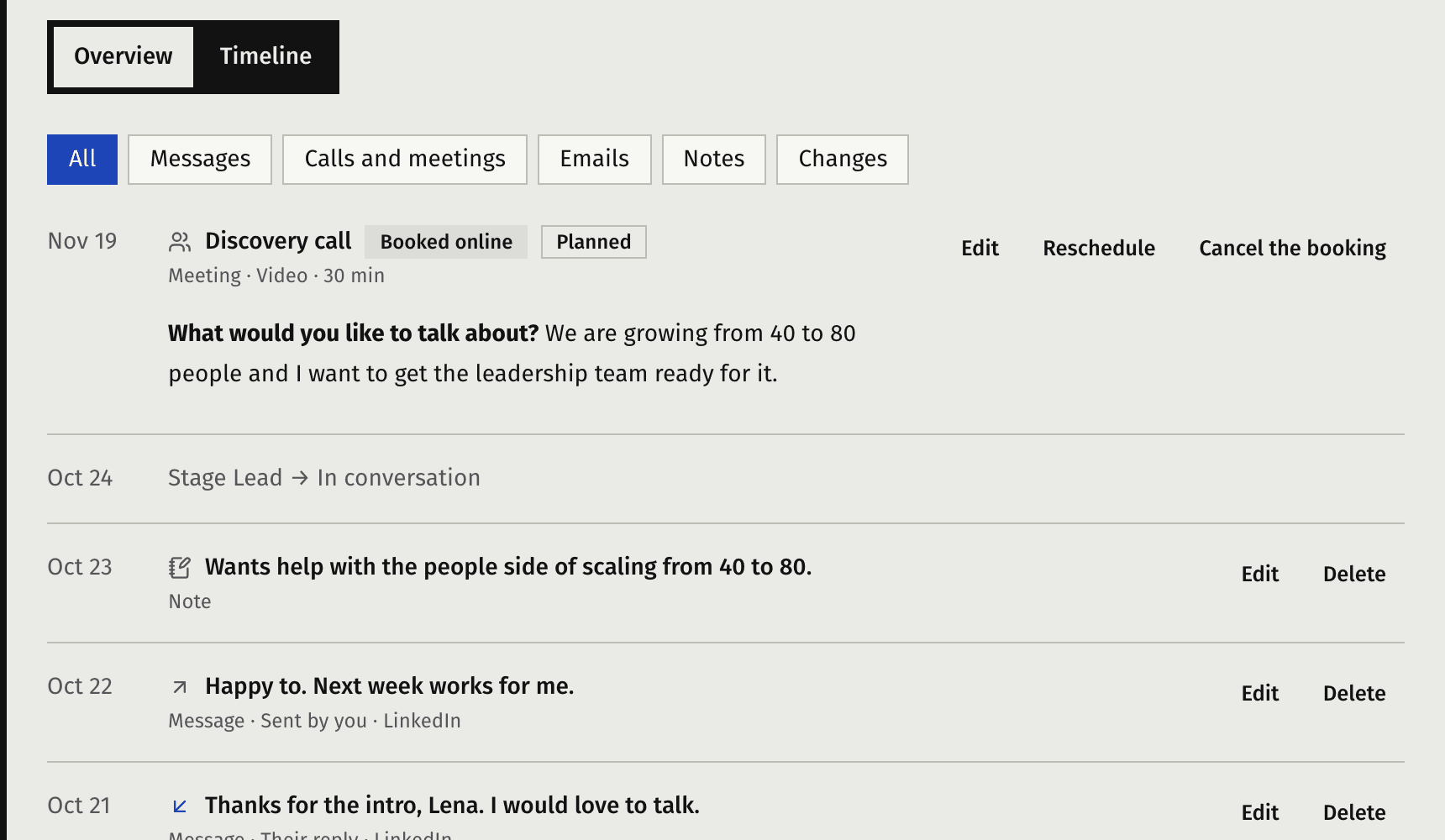
  • Into your pipeline, not just your calendar. Every booking becomes a contact you’re in conversation with, their answers saved and the call on their timeline in Faronto. After the call, Today reminds you to follow up.
The booking page embedded on a coach’s own website (demo site)
A contact’s timeline with the booked call and their answers

5. Turn a conversation into a client

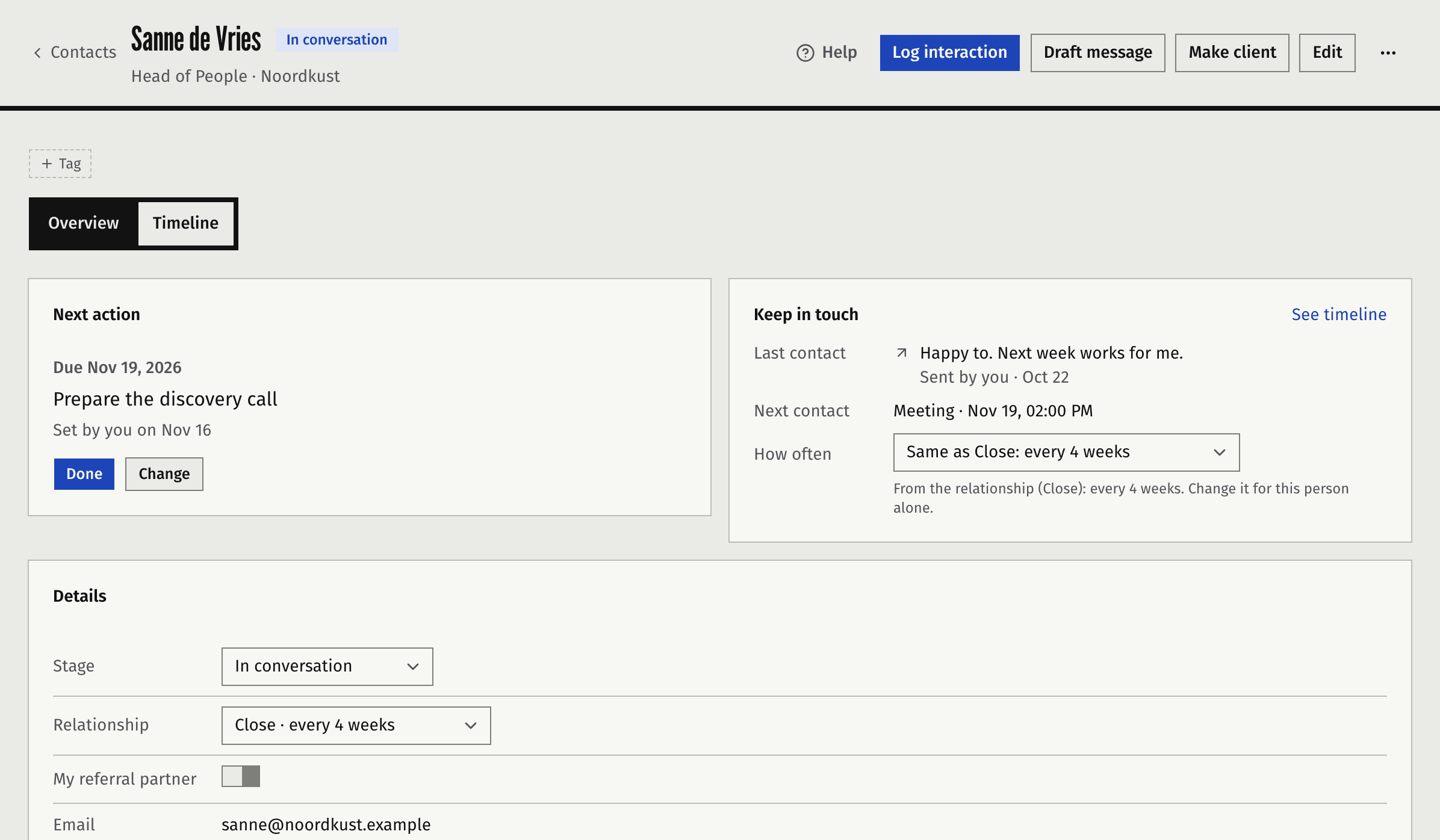
We’re coaches. Conversations are where we excel. Faronto helps you turn your conversations into clients. Move people through the stages as things happen: contact, lead, in conversation, client. When you agree to work together, make them a client in one step and onboard them to their own coaching portal.

A contact’s page with the timeline and the Make client button

Ask at the right moment

Today also tells you when a client reached a goal or when their coaching package is nearly done. These are the best moments to ask for a referral or a contract extension.

What it doesn’t do

Faronto never messages your contacts for you. It sends no bulk email, and it doesn’t post or message for you. Booking pages are for free calls: they don’t take payment. Your conversations are always yours. That’s on purpose: people say yes to working with a person, not to a sequence.

Plans

Growth is part of all plans. There’s no limit to the number of contacts you have. The free plan is limited to 1 booking type and comes with a small “Booked with Faronto” badge on the page. The Starter plan has unlimited booking pages.

See plans and prices

Start with the people you know.

Start free

Free forever for 2 clients. No credit card required.