Upgrade, pay and cancel your plan
On this page
Faronto has two plans, Free and Starter. You upgrade, pay, download invoices and cancel on one page: Settings, then Plan. Faronto bills you directly and Stripe processes the payment. This article covers the money side. What each plan includes is in What’s in Free and Starter.
What Starter costs
Starter is billed monthly, in advance, in US dollars or in euros. Prices are per month and do not include VAT. VAT or sales tax is added at checkout.
| US dollars | Euros | |
|---|---|---|
| Starter, list price | $49 | €45 |
| With the founders discount (30% off) | $34.30 | €31.50 |
The price is flat: it does not change with the number of clients. Free has no price and needs no card.
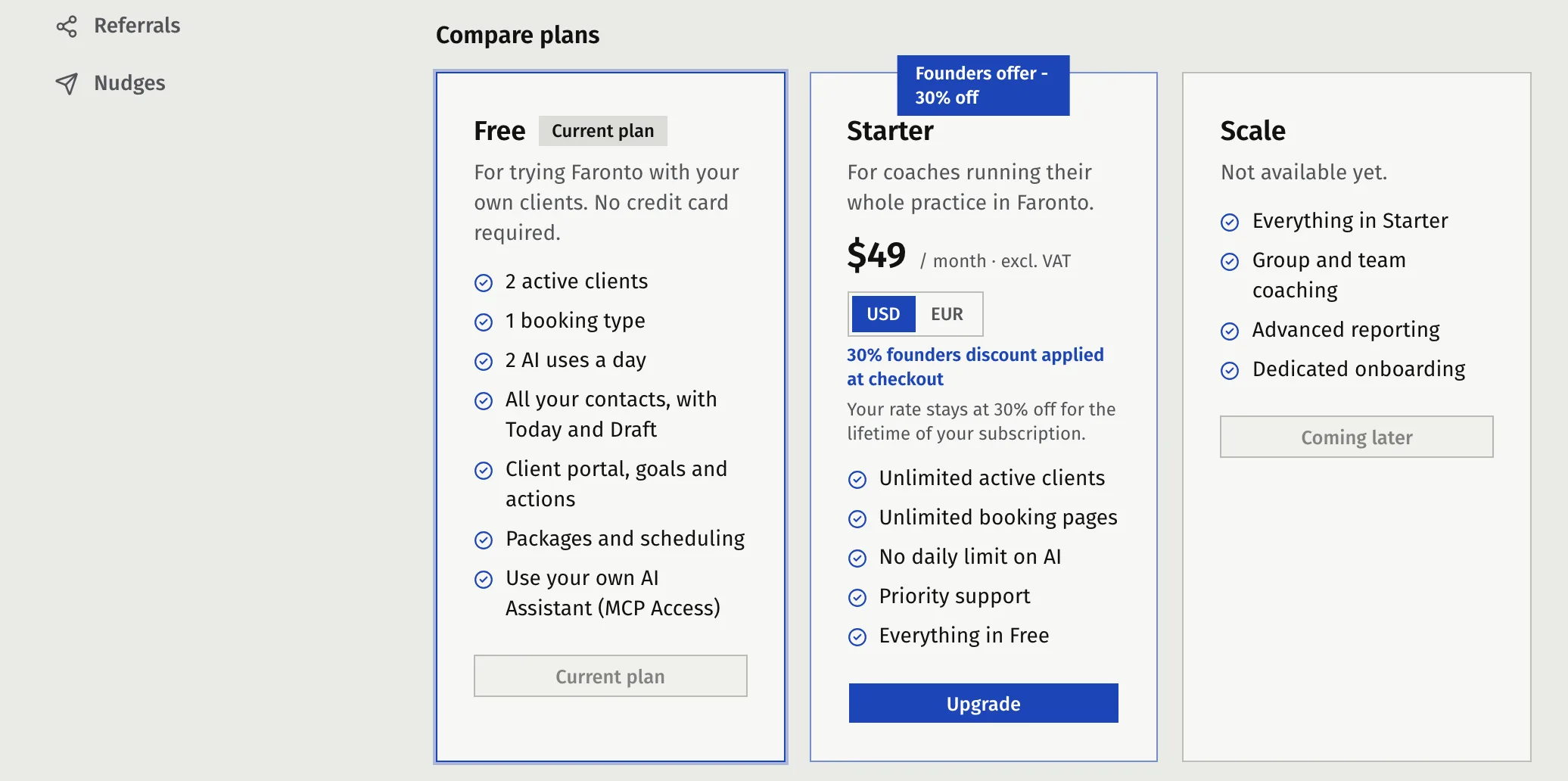
The page also lists a third plan, Scale, as coming later. You cannot choose it.
Upgrade to Starter
- Open Settings, then Plan.
- Under Compare plans, find the Starter card.
- Choose USD or EUR with the switch on the card. Faronto starts you on EUR if your location is in the EU or the EEA, and on USD everywhere else. The switch only shows until you have subscribed.
- Press Upgrade. Faronto opens Stripe’s checkout page.
- Fill in your billing address. Stripe requires it. Add your VAT or tax number if you have one.
- Pay. Stripe takes you back to the Plan page, which shows “You’re all set!”. Faronto also emails you a confirmation.
Your currency is locked when your first paid subscription starts and cannot be changed afterwards. Pick it before you pay.
If you cancel and subscribe again later, Faronto keeps the currency you used the first time.
The founders discount
The founders discount is 30% off Starter. It takes the price from $49 to $34.30 and from €45 to €31.50 a month. You keep it for as long as your subscription runs without a break.
- You get it when you subscribe while the offer is open. Faronto applies it at checkout. You do not need a code.
- The Plan page shows it as “30% founders discount” on your current plan.
- If you cancel and subscribe again after the offer has closed, you pay the list price.
If you joined through a referral
A coach who signs up through another coach’s referral link gets the first month of Starter free. Checkout shows the 30-day trial, and the Plan page shows “Free trial until …, then …”. Your first payment comes after the trial. See Refer another coach.
VAT and your tax number
Prices on the page exclude VAT. At checkout, Stripe works out VAT or sales tax from your billing address and shows it before you pay. Checkout asks for your tax number, such as an EU VAT number. Faronto stores it with your billing details.
If your business is in an EU country other than the Netherlands and you add a valid VAT number, no VAT is charged. The reverse charge applies: you account for the VAT in your own country. Faronto is a Dutch company, so a business in the Netherlands pays Dutch VAT.
Find your invoices
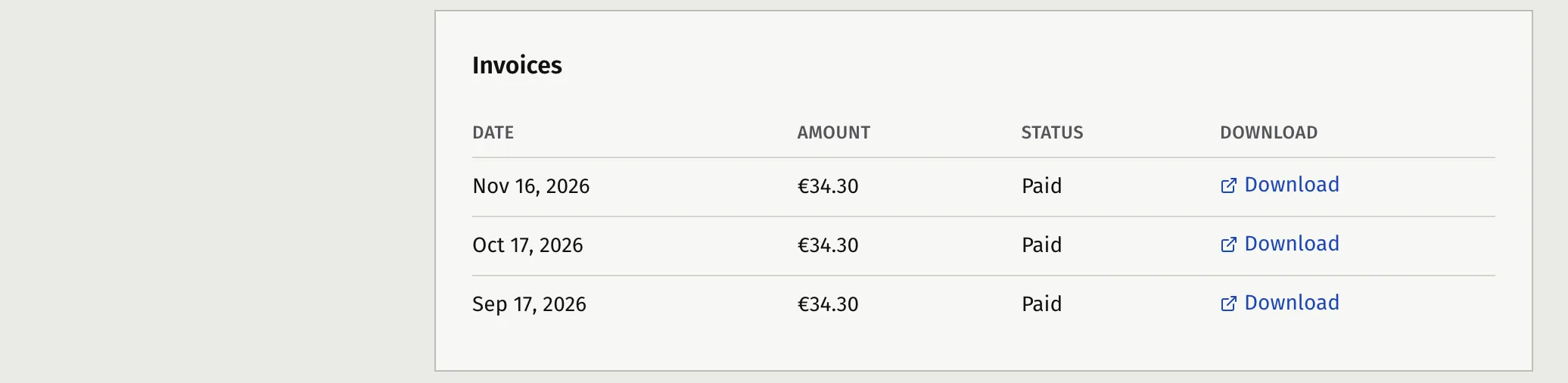
Open Settings, then Plan, and scroll to Invoices.
- Find the invoice by Date, Amount and Status.
- Press Download. The invoice opens in a new tab.
The list shows up to 10 invoices a page, so a page can be shorter. Use Next and Previous to move through it. Invoices for a month that cost nothing, such as a free trial month or a referral reward month, are not listed. You see “No invoices yet” until your first paid invoice exists.
Change your card
- Open Settings, then Plan.
- In the current plan card, press Manage payment method.
- Stripe’s billing page opens in a new tab. Change your card there.
Faronto never sees your card number. Stripe holds it.
Cancel your plan
You can cancel at any time. You keep Starter until the end of the period you already paid for.
- Open Settings, then Plan.
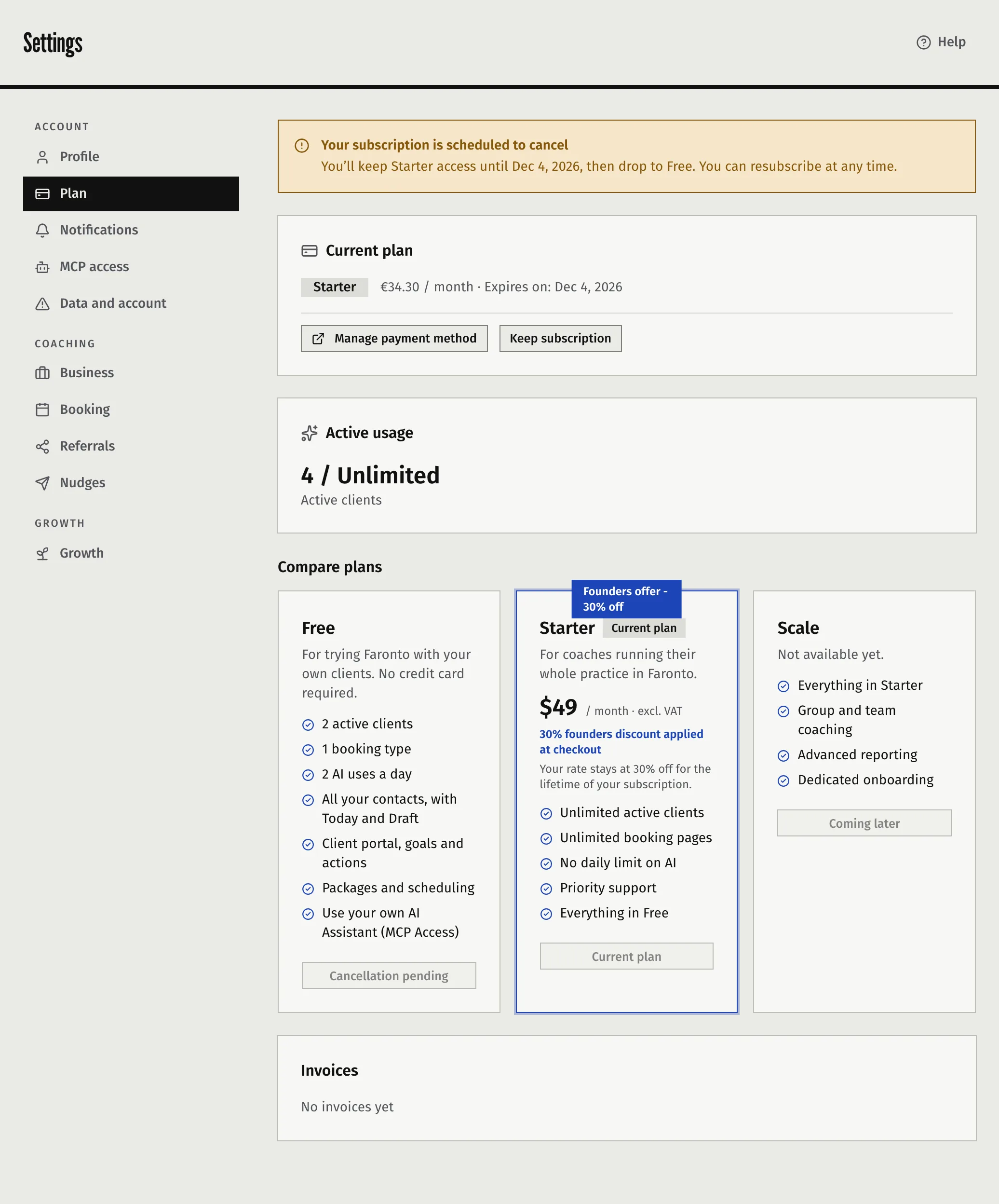
- In the current plan card, press Cancel subscription. On the Free card, Downgrade does the same thing.
- Read the message. Your plan stays active until the end of the current billing period, then you move to Free.
- Press Confirm cancellation.
The page now shows “Your subscription is scheduled to cancel” and the date your Starter access ends. To change your mind before that date, press Keep subscription. The subscription renews as normal.
What happens after the date
- You are on Free. The limits are in What’s in Free and Starter.
- You keep all your clients, their portals, sessions and notes. If you have more than 2 active clients, you cannot add or reactivate clients until you are back at 2 or you upgrade again.
- You can still open the Plan page and download your old invoices.
- You can upgrade again at any time.
Cancelling does not delete your account or your data. To do that, see Export your data or delete your account. Deleting your account also stops your subscription from renewing.
Refunds
Fees are non-refundable, including for part of a period, except where the law requires otherwise. Faronto does not pro-rate when you cancel, so you use the time you paid for instead. There is no refund button in the app. The Terms of Use, section 5, say the same.
When a payment fails
If a renewal payment fails, Faronto emails you and shows a banner at the top of the app: “Your last payment failed. Update your billing within … days to keep your plan.”
- Press Update billing. It opens the Plan page.
- Press Manage payment method and update your card.
You keep Starter for 2 days after the payment fails. After that, Faronto treats you as being on Free until the payment goes through, and the banner changes to say so. The same happens if the subscription is paused. Your clients stay where they are, as described above.
Was this article helpful?