What’s in Free and Starter
On this page
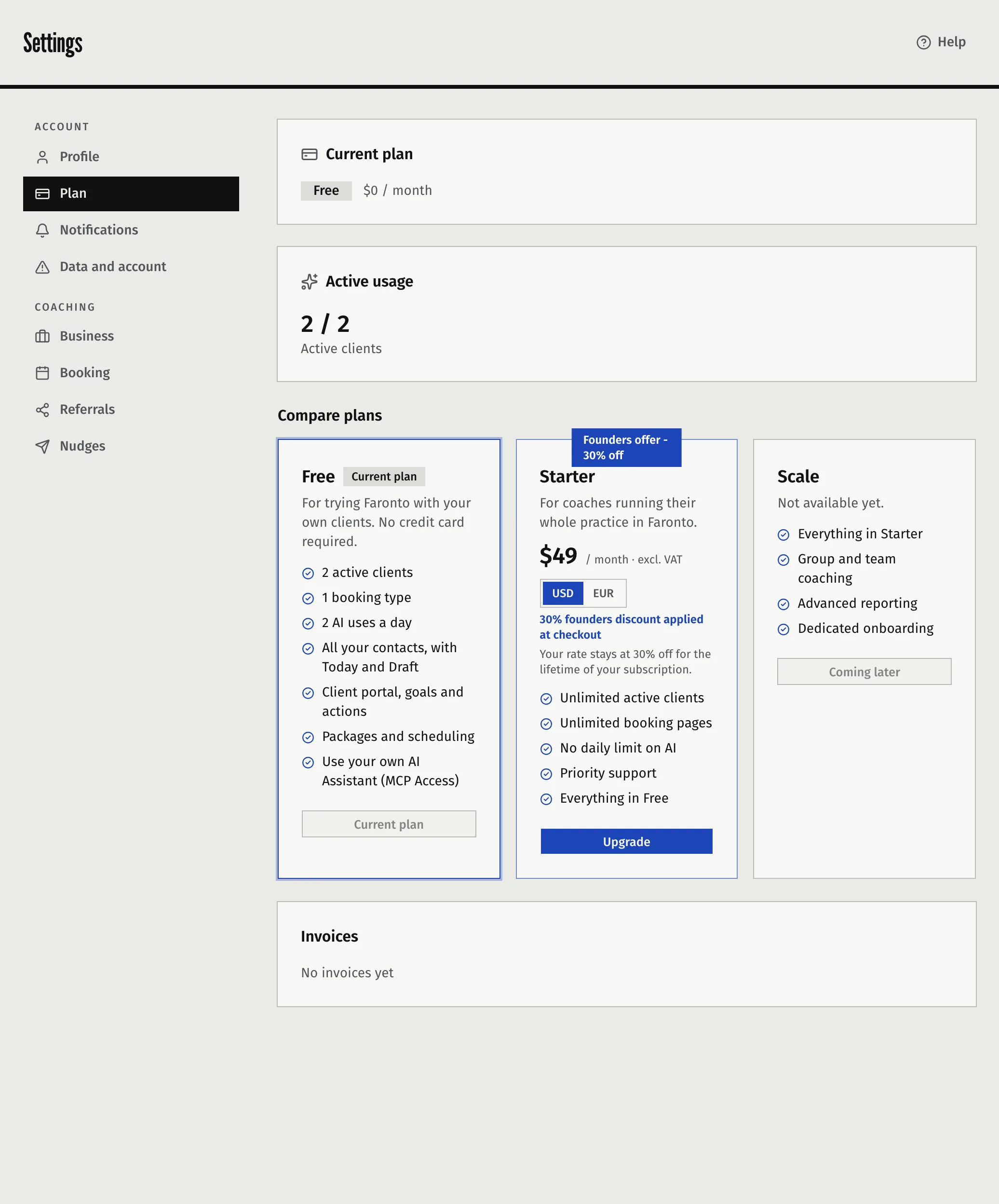
Free needs no card and lets you try Faronto with a small practice. Starter removes the client limit and the daily AI limit. This article lists the limits and what happens when you reach one.
The limits on Free
| Free | Starter | |
|---|---|---|
| Active clients | 2 | Unlimited |
| AI uses per day | 2 | No daily limit |
| Booking types for discovery calls | 1 | Unlimited |
You see your current numbers under Settings, then Plan. The Active usage card shows Active clients. Compare plans shows both plans next to each other.
What counts as an active client
An active client is any client who is not marked as a past client.
- A client you mark as a past client no longer counts. Use Mark as past client on the client’s page.
- A past client you reactivate counts again.
- A person in Growth contacts is not a client, so contacts never count toward the limit. A contact counts only once you make them a client and choose Coach … in Faronto. Choosing A client for something else does not create a coaching client and does not count.
What counts as an AI use
These three share the 2 uses a day on Free:
- generating a session briefing
- pulling notes and actions out of a session transcript
- writing a Draft message in Growth
The day is your own calendar day, from midnight in the timezone you set under Business. When uses are left, Draft shows how many (“… of … AI uses left today (free plan)”). A try that fails does not use one up. Faronto also stops a free account after 6 tries of any outcome within 24 hours. On Starter there is no daily limit.
AI that you switch off under Enable AI features uses nothing.
One booking type on Free
The Growth booking pages let people book a free call with you. On Free you can have one active booking type. If you move back to Free from Starter, every type except your first active one is turned off. Their settings are kept. You can turn that one off and another one on. After an upgrade, turn on the types you want yourself.
What happens when you reach a limit
- Clients. At 2 active clients, Add Client shows You’ve reached the active client limit for your current plan. Upgrade to add more. with an Upgrade button. You also cannot reactivate a past client or turn a contact into a coaching client.
- Over the limit. If you end up with more than 2 active clients, for example after moving back to Free, you keep all of them. Their portals, sessions and notes keep working. You cannot add or reactivate clients, and you cannot assign a new package to any client until you are back down to 2 or upgrade.
- AI. When the daily uses run out, the screen tells you. You get new uses the next day, or upgrade for no daily limit.
- A paid plan that lapses. Faronto treats a plan that is past due beyond its grace period, paused or cancelled as Free. If you cancel, you keep Starter until the end of the period you paid for. See Upgrade, pay and cancel your plan.
Was this article helpful?