Choose what your AI Assistant can see and change
On this page
Your AI Assistant gets only the access you give it, one kind of data at a time. You can change it whenever you like, and it applies to the very next request.
Set the access
- Open Settings, then MCP access.
- Under What your AI Assistant may do, find the row for the kind of data.
- Choose a level for that row: No access, Read or Read and write.
- The first time you raise a row under Coaching, Faronto shows Share client data with your AI Assistant?. Read it, then press I understand, continue. It appears once.
Read and write includes reading. A row you have not set is No access. If a row has no write option, it stops at Read, because there is nothing your AI Assistant can change there.
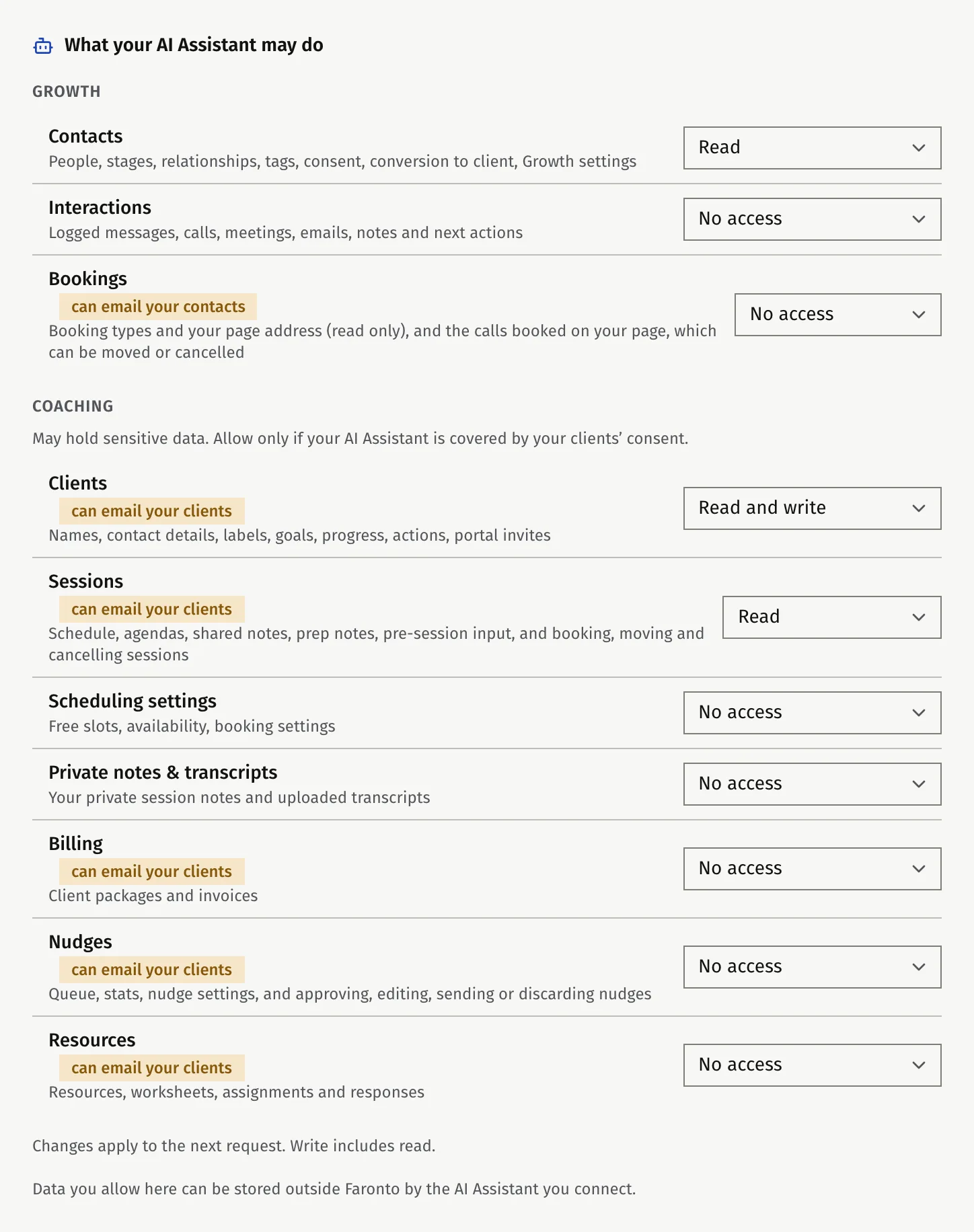
What each row covers
| Row | Covers | Highest level |
|---|---|---|
| Contacts | People, stages, relationships, tags, consent, conversion to client, Growth settings | Read and write |
| Interactions | Logged messages, calls, meetings, emails, notes and next actions | Read and write |
| Bookings | Booking types and your page address (read only), and the calls booked on your page, which can be moved or cancelled | Read and write |
| Clients | Names, contact details, labels, goals, progress, actions, portal invites | Read and write |
| Sessions | Schedule, agendas, shared notes, prep notes, pre-session input, and booking, moving and cancelling sessions | Read and write |
| Scheduling settings | Free slots, availability, booking settings | Read |
| Private notes & transcripts | Your private session notes and uploaded transcripts | Read and write |
| Billing | Client packages and invoices | Read and write |
| Nudges | Queue, stats, nudge settings, and approving, editing, sending or discarding nudges | Read and write |
| Resources | Resources, worksheets, assignments and responses | Read and write |
The three rows under Growth are Contacts, Interactions and Bookings. The other seven are under Coaching. The Growth rows appear when Growth is on for your account.
A row marked can email your clients means that with Read and write, your AI Assistant can trigger an email to your clients. Bookings says can email your contacts: moving or cancelling a booked call emails the person who booked. Faronto limits this to 30 recipients an hour across all tools.
What your AI Assistant can never do
- It cannot change a client’s email address.
- It cannot delete a client.
- It cannot import a file of contacts, write a Draft for you, change your nudge settings (on or off, cadence and tone), or set up your booking pages. Those stay in the app.
With Contacts on Read and write, it can archive, merge and permanently delete contacts. It can also turn a contact into a coaching client if Clients is on Read and write too.
There are no settings per client
Access is by kind of data, not by client. You cannot give your AI Assistant one client’s notes and keep another’s back. Private notes & transcripts is its own row, so you can allow your sessions and goals while keeping your private notes and transcripts closed.
If a row is on No access, your AI Assistant cannot see that the data exists, and it cannot even try. Faronto does not list the tools that row would allow.
Disconnect an app
- Open Settings, then MCP access.
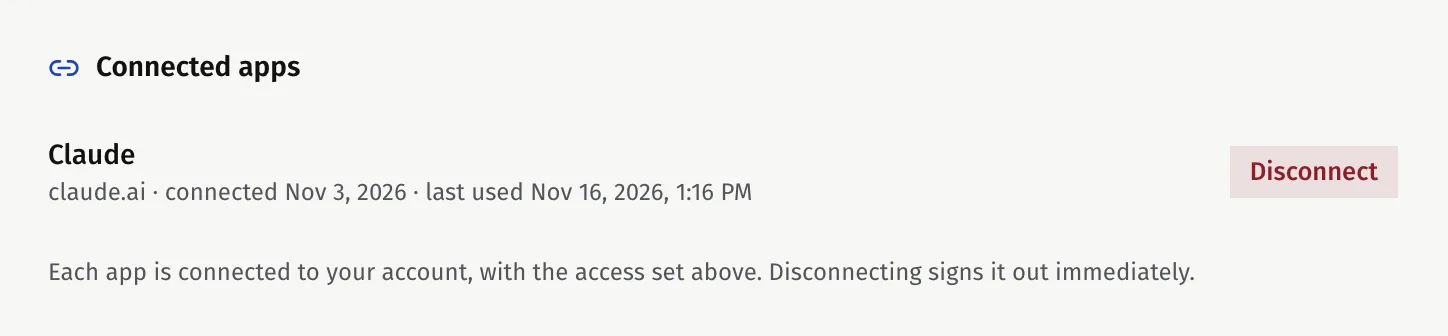
- Under Connected apps, find the app. Each one shows when it was connected and when it was last used.
- Press Disconnect, then confirm.
The app loses access at once. You can connect it again whenever you want. To keep an app connected but have it see nothing, set every row to No access instead.
What Faronto records
Faronto records every change your AI Assistant makes, marked as made through your AI Assistant. It also records each time your AI Assistant opens your private notes or a transcript. No screen in the app shows this record. If you need it, request an export under Data and account: the export includes a file with your own actions. See Export your data or delete your account.
In Growth, a next action your AI Assistant sets shows who set it: “Set by your AI Assistant on” and the date.
Was this article helpful?