Merge contacts that are the same person
Someone can end up in Contacts twice, for example when you add a person by hand and later import a file that also has them. Merging keeps one contact and moves everything from the other onto it.
Faronto never merges contacts by itself. An import skips duplicates and does not merge them.
Find possible duplicates
- Open Contacts.
- Press the Possible duplicates · … chip. It appears only when Faronto finds a pair.
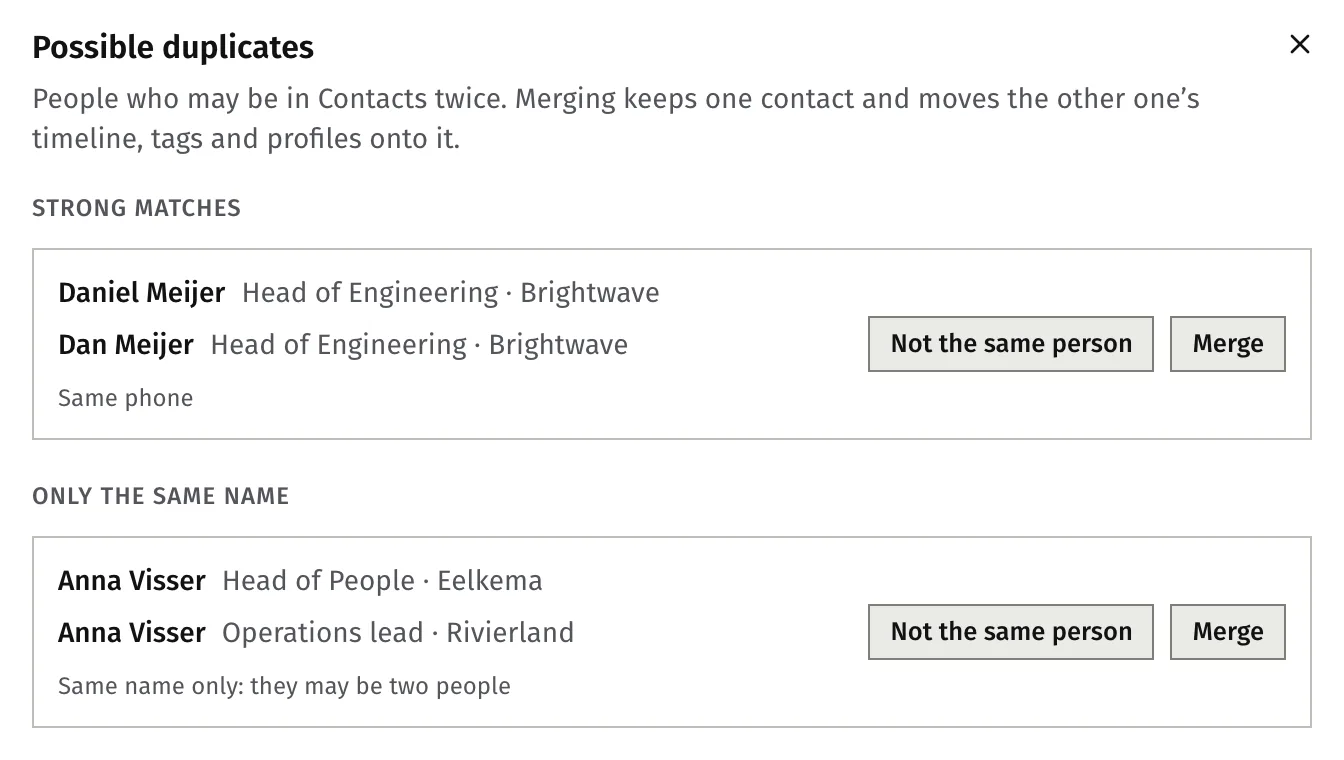
The window Possible duplicates lists the pairs in two groups:
- Strong matches: the same email, the same phone or the same profile link.
- Only the same name: the same name and nothing else. They may be two different people.
After an import, the last screen also offers Review … possible duplicates.
Merge two contacts
- In the pair, press Merge.
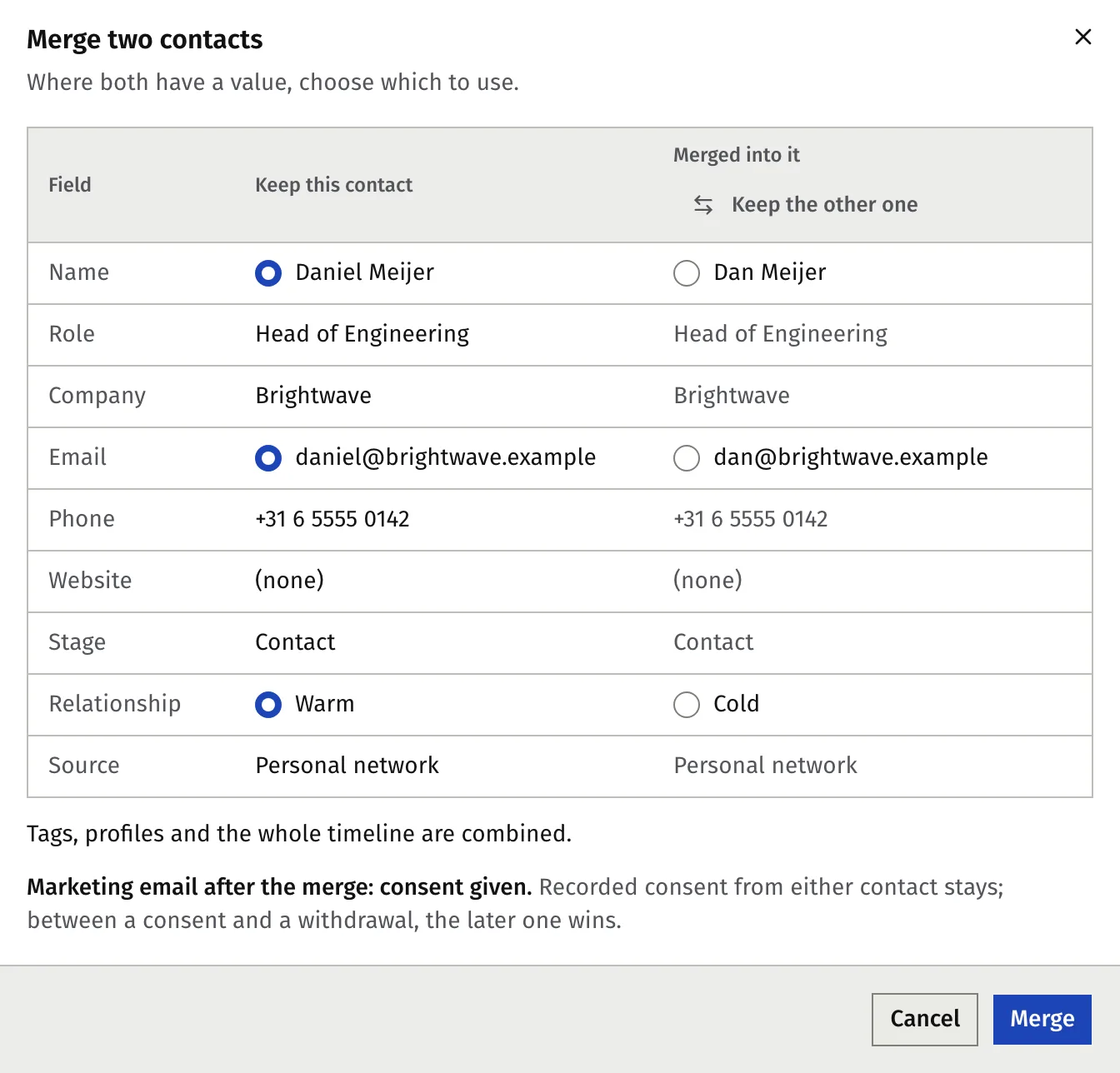
- Check which contact is kept. To keep the other one, press Keep the other one.
- Where both contacts have a value, for example two phone numbers, choose which one to use. This applies to name, role, company, email, phone, website, stage, relationship and source.
- Press Merge, then press Merge again in the question that follows. The merge cannot be undone.
You can also tick two contacts in the list and press Merge in the bulk bar. You cannot merge from a contact’s own page.
What the merge keeps
- Timeline, tags and profiles. All of them are combined on the kept contact. The timeline records “Merged with …”.
- Consent. Recorded marketing consent from either contact stays. If one contact gave consent and the other withdrew it, the later one wins. A “do not contact” setting stays.
- A linked client. If one contact is linked to a coaching client, that contact is the one kept, and its name, email and phone come from the client record.
- Two linked clients. Two contacts that are both coaching clients cannot be merged.
Say they are different people
When a pair is two different people:
- Press Not the same person.
- Confirm. Faronto names the people and asks you to check.
Faronto does not suggest that pair again. This cannot be undone.
Was this article helpful?